Increase direct orders in restaurants: seven levers
Direct orders need a recognizable route to your own shop. Regulars should be able to easily find it on the website, Google business profile, and in the restaurant. Seven practical measures help you build, without unproven conversion promises.
How does a restaurant increase direct orders?
More direct orders start with an easy route to your own shop. Guests should find it wherever they come into contact with the restaurant. Use a consistent address and a clear notice. The ordering process must function reliably in the company.
Your own online ordering website should appear where guests are already looking for menu, opening times, telephone number or directions. This includes the restaurant website, Google business profile, social networks and printed materials within the establishment. Repetition is intentional: A guest often needs to see the direct channel more than once before consciously using it the next time they order.
1. Prioritize the online ordering website on your own website
The restaurant itself determines how visible the online ordering website is on its own website. “Order online” or “order directly from the restaurant” says more to guests than a general “Find out more”. The link belongs in the main menu and in the visible entry area. It may not only appear on the smartphone after several detours.
The link should lead directly to the order page. Additional intermediate pages, unexpected redirects or a second navigation make the journey unnecessarily longer. If you want to order, you first need the menu, availability and ordering options. Another product presentation doesn't help at this point.
Check on smartphone and desktop:
- Is “Order online” visible within a few seconds?
- Does the link open the correct restaurant online ordering website?
- Are delivery and collection clearly distinguishable?
- Are opening times and temporary closures displayed correctly?
- Can the shopping cart and order completion be used without horizontal scrolling?
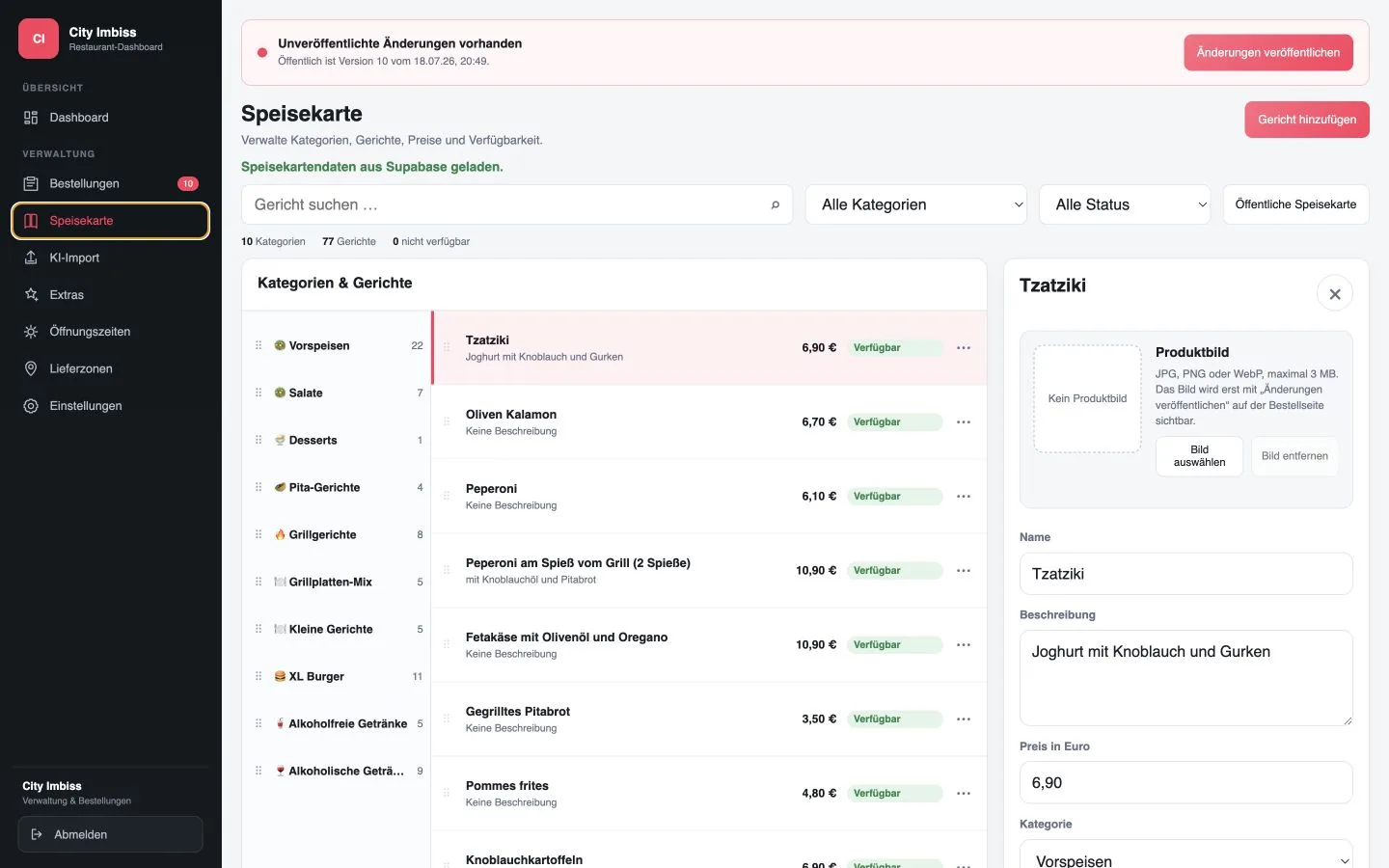
GastroSprint can be integrated into an existing restaurant website. If the website, online ordering website and app are to be built together, bundle GastroSprint Complete these contact points in one plan. This shows how the online ordering website and dashboard work together Function overview.
2. Use a unique order link
If possible, a restaurant should use the same short destination address for public notices. Different links on flyers, profiles and social media posts make evaluation more difficult and can lead to outdated pages. If tracking parameters are used, the target page must still remain the same.
Write directly to the link what happens next. For example: “Order directly from us online”, “Pre-order for collection” or “Order delivery directly from the restaurant”. A general slogan, on the other hand, leaves open where the click leads.
“Direct” here only means that the order is received via the restaurant’s own channel. This does not result in any promises about delivery times, price advantages or availability. Only mention such advantages if they actually apply to the restaurant.
3. Keep your Google business profile up to date
Many guests search for the restaurant name along with opening times, menu or telephone number. Therefore, all publicly maintained company information should refer to the same current status. An existing order link belongs to the correct restaurant and location page and should be checked for changes.
It is important that the content is consistent: opening times in the profile, on the website and in the online ordering website should not contradict each other. Deviations on public holidays or when delivery is temporarily restricted must be addressed in a timely manner. A visible order link does not gain trust if the shop then unexpectedly closes.
Make an internal note of who is responsible for changes to the company profile. This prevents only the menu in the online ordering website from being updated, while outdated opening times remain in place elsewhere.
4. Approach regular customers in the restaurant
Regulars are a good place to start because they already know the restaurant. The reference to the direct channel can be on menus, table displays, receipts, pickup cards or packaging. The text should be short and appear right next to a readable link or QR code.
A QR code always requires a visible destination description. Just a square with no text doesn't explain to guests what happens after scanning. For example, a suitable line is: “Next time, order directly online: open the menu”. Before printing, the code must be checked with several smartphones.
When picking up the item, the team can briefly mention the online ordering website. A sales pitch is not necessary: “Next time you can also order directly via our website.” What is more important is that the guest can find the address again later.
5. Use social networks as a guide
Social media profiles are suitable for pointing out new dishes, changed opening times or direct ordering methods. The order link should be in the profile description or in a link overview that can be found permanently. Individual posts alone quickly disappear from view.
Specific situations are more helpful than general advertising phrases. For example, link a new dish or a pickup window to the direct order link. Also the question “Would you rather have it delivered today or pick it up yourself?” can lead there. The price, availability and opening times must match the shop.
Avoid artificial urgency and unsubstantiated savings promises. Reliable information is more convincing, especially if guests don't discover restrictions until they're in their shopping cart.
6. Keep restaurant operations stable
More attention also means more work in the kitchen, serving and delivery. Before you promote the online ordering website more, the team must be able to handle additional orders. Every order needs clear responsibility and a realistic processing time.
Before a major action, the team should know:
- Who monitors new orders?
- Who confirms or corrects the processing time?
- How are unavailable products handled?
- Who decides if you have questions about delivery or collection?
- How are opening times and delivery areas adjusted in the event of bottlenecks?
The Starting checklist for online orders separates technical equipment and operational responsibility. It's better to start with regular guests before planning a larger promotion. This means that weak points in the process are noticed earlier.
7. Measure the right signals
Clicks alone say little about direct orders. Therefore, look at the individual steps: opening the shop, selecting the product, starting the shopping cart and completing the order. Repeated orders also show whether the channel is accepted in everyday life.
Questions from everyday life also help. If guests repeatedly ask about minimum order value, delivery area, product variants or payment methods, information is missing in the shop. Clarify these points before you drive more visitors to the online ordering website.
For a simple monthly comparison, the following are sufficient:
- Number of visits to the online ordering website
- Number of direct orders completed
- Proportion of returning customers, to the extent that this can be evaluated in accordance with data protection regulations
- frequent interruptions or error messages
- Queries from restaurants, pickup and delivery
A concrete improvement list can be derived from these signals. Additional advertising would otherwise only show existing ambiguities to more guests.
Evaluate the direct channel and delivery platform in parallel
An existing delivery platform channel does not have to disappear immediately. Your own online ordering website can start in parallel and gradually become better known. The channels can fulfill different tasks. A portal can bring new reach, while the direct channel leads regular guests to their own presence.
If well-known guests continue to order via the portal despite the existing shop, checking the cause first helps. The guide Why regular customers continue to order via Lieferando Separates habit, lack of visibility and problems in the direct ordering process.
The site Lieferando alternative for restaurants classifies both ways objectively, without asserting third-party contract or commission values. What counts when making your own decision are the actual restaurant numbers, the operational effort and the question of which channel guests repeatedly use to order.
Start with an order link
Start in a manageable way: Place a visible order button on the website, use the same destination address everywhere and point this out to regular guests in the company. Then check whether the process works within the team and what questions guests ask.
If your own online ordering website is still missing, that shows Online ordering system for restaurants the process from menu to dashboard. In one free demo it can be clarified how gastrosprint can be integrated into the existing restaurant presence.
Frequently asked questions
Where should a restaurant place its order link?
The order link belongs clearly visible on your own website and can also be used in the Google company profile, in social networks, on flyers, menus, packaging and pickup receipts.
Should a restaurant turn off delivery platforms immediately?
No. A separate direct channel can be set up in parallel. The restaurant decides which channels make sense in the long term based on its own processes and results.
Which key figures show whether the direct channel is working?
It makes sense to have separate values for visits to the online ordering website, shopping carts started, orders completed, returning guests and frequent abandonment points.
Sources and product basis
- gastrosprint: online ordering system for restaurantsProduct foundation for the browser-based direct channel and restaurant flow.Retrieved on
- gastrosprint: Lieferando alternativeBasis for the objective separation between your own direct channel and delivery platform.Retrieved on